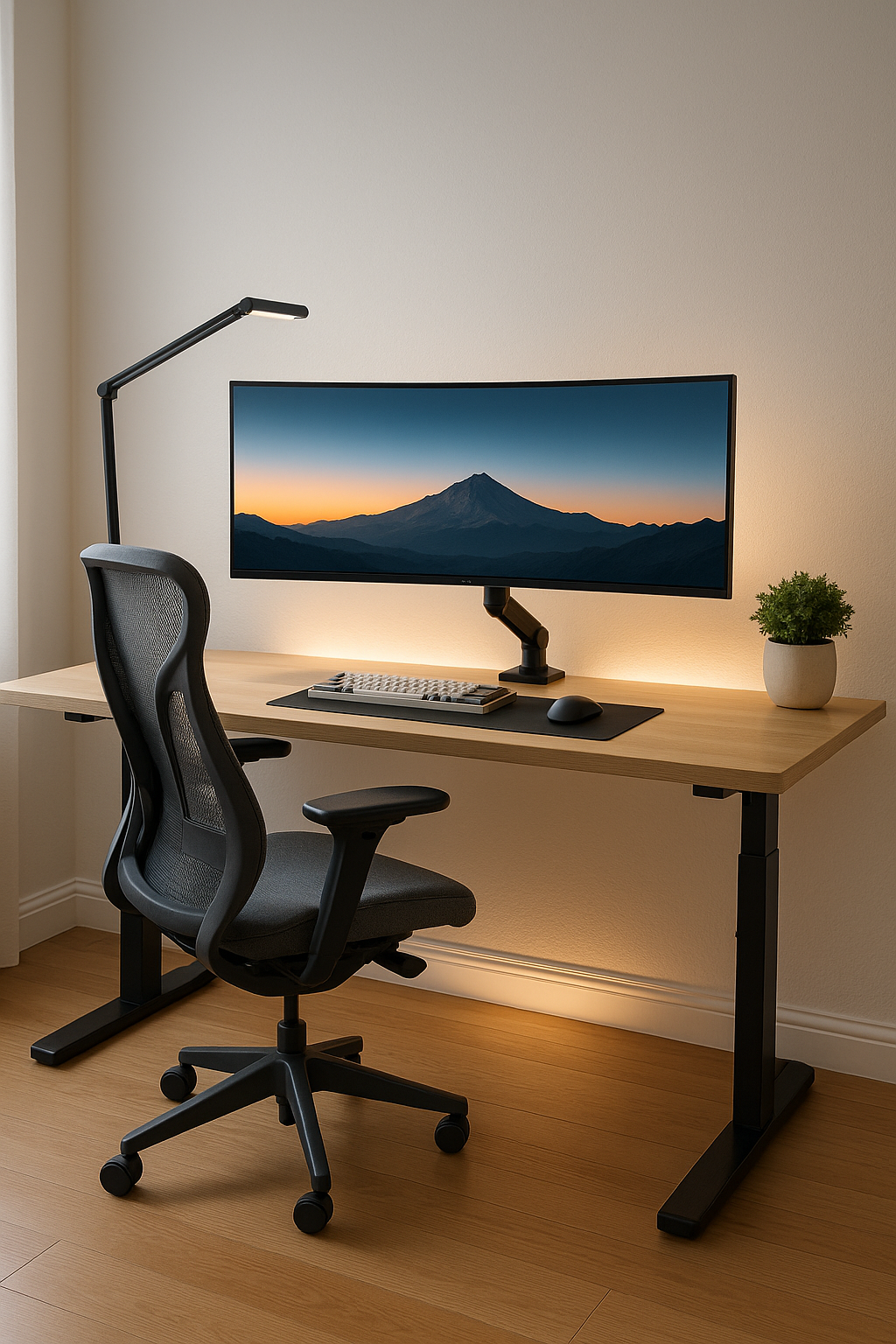
What you’ll get
- A simple, visual layout you can copy in an afternoon
- Clear picks for desk, chair, monitor arm, lighting, webcam, audio, cables
- Quick buttons to our deep-dive guides
At a glance
| Category | Best For | Guide |
|---|---|---|
| Desk | Stability + right height | Desks |
| Chair | All-day comfort | Chairs |
| Monitor Arm | Eye-level framing | Monitor Arms |
| Lighting | Focus + camera glow | Desk Lamps |
| Webcam | Professional look | Webcams |
| Microphone | Clear voice on calls | Microphones |
| Headphones | Noise control | Headphones |
| Cable Mgmt | Zero clutter | Cable Management |
| Storage | Paper & supplies | Storage & Filing |
| Keyboards | Wrist comfort | Ergonomic Keyboards |
1) Desk + Chair: the foundation
Desk
- Height puts keyboard just below elbow level
- Standing: stable frame, memory presets, cable clearance
- Small rooms: compact top + wall raceway
Chair
- Adjustable lumbar, seat depth, arm width
- Feet flat, hips slightly above knees, recline 100–110°
2) Display & Monitor Arm: eye-level, zero wobble
- Top third of the screen at eye height
- Use arm depth to pull close for text, push back for focus
- Reframe quickly for demos or standing calls
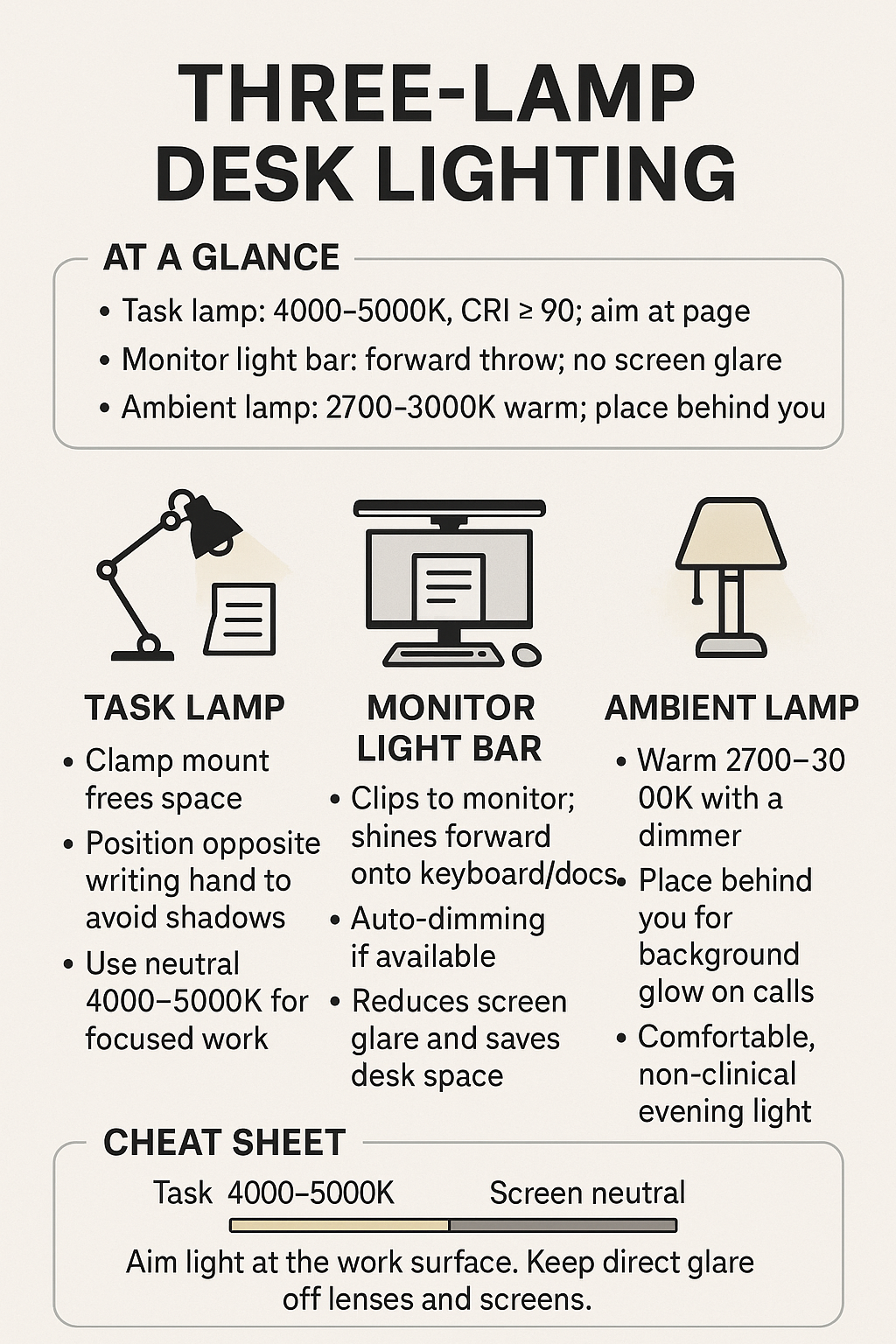
3) Lighting: three-lamp layout
- Task lamp (4000–5000K, CRI ≥ 90) aimed at the page
- Monitor light bar for keyboard/docs without screen glare
- Ambient lamp (2700–3000K) behind you for warm background
4) Camera & Audio: look and sound professional
Webcam
- 4K tracking for standing/gesturing, or 1080p low-light for dim rooms
- Frame eyes in the top third; avoid ultra-wide fisheye
Microphone
- USB mic at mouth level, 6–8 inches away
- Add a simple pop filter; watch levels in your call app
Headphones
- Noise-canceling for noisy homes; open-back for comfort in quiet rooms; wireless for pacing
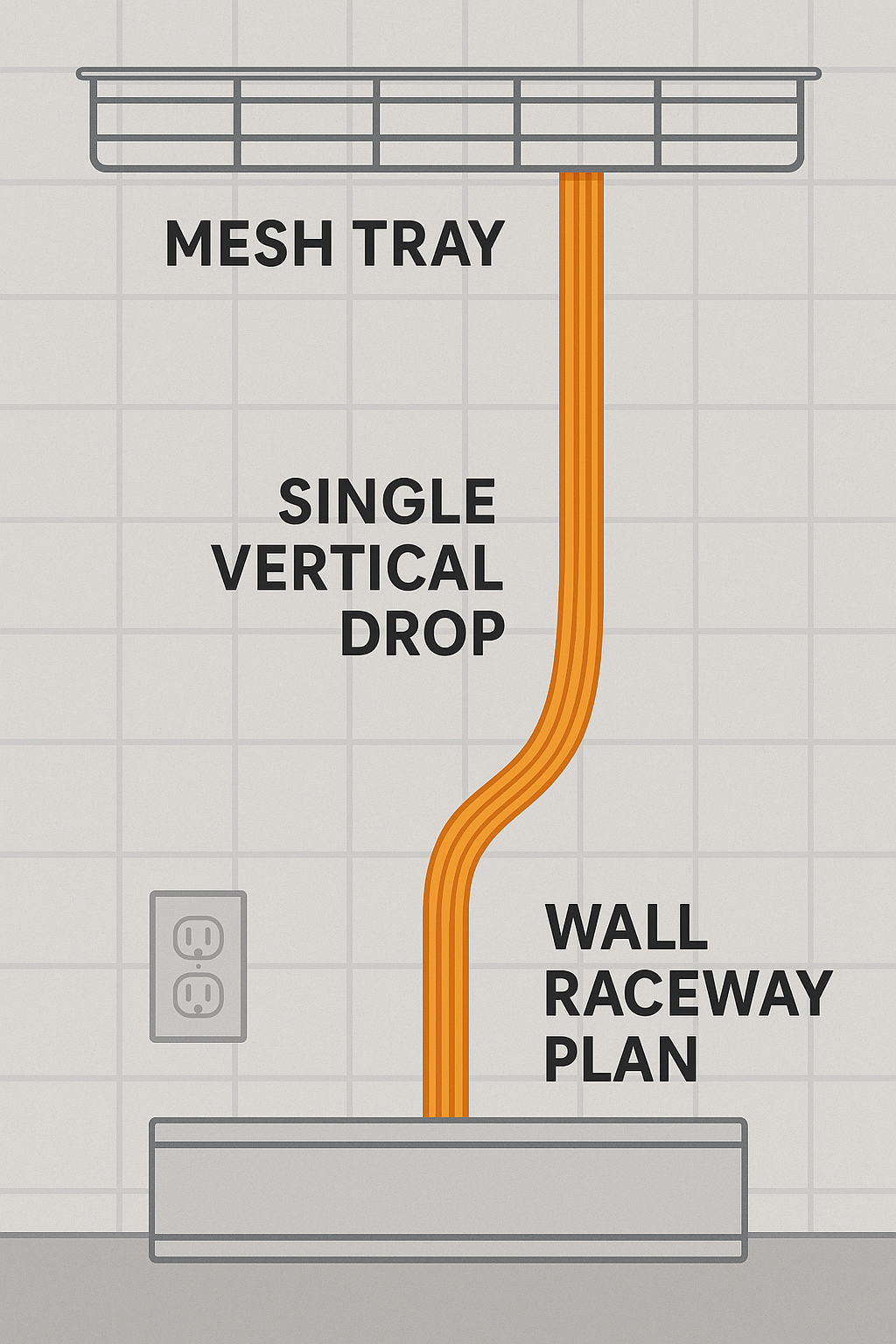
5) Cable Management: clean and safe
- Mount surge strip under desk; feed cords into a mesh tray
- Drop one vertical bundle; hide with paintable raceway
- Stow bricks in a cable box; keep ground runs taut
6) Input Ergonomics: keyboard + mouse
- Split/tented for max comfort, mechanical ergo for feel, standard ergo for easy adoption
- Keep mouse level with keyboard; slight negative tilt; wrists straight
7) Storage & Filing: keep it tidy
- One inbox tray, one action tray, weekly review
- Labeled cabinet or boxes; archive quarterly
Build Kits (copy-paste)
- Starter Desk Kit: Standard desk + ergonomic chair + monitor arm + task lamp + cable tray + raceway
- Focus & Calls Kit: Standing desk + premium chair + light bar + 1080p low-light webcam + USB mic + noise-canceling headphones
- Creator Kit: Ultrawide on sturdy arm + 4K tracking webcam + task + ambient lighting + mechanical ergo keyboard
Pin-this graphics
FAQs
- Do I need a standing desk? No; a stable sitting desk with the right chair is great.
- Monitor height? Eyes near the top third of the screen.
- Evening color temp? 2700–3000K ambient plus ~4000K task.
- Hide power bricks? Use a ventilated cable box or mesh tray.
Related posts
- Ergonomic Chairs (2025)
- Best Desks (2025)
- Monitor Arms
- Desk Lamps
- Webcams
- Microphones
- Headphones
- Cable Management
- Storage & Filing
- Ergonomic Keyboards
Disclosure: As an Amazon Associate, I earn from qualifying purchases. This means I receive a small commission when you buy through the links on this page, at no additional cost to you.
 Remote Ready
Leave a comment